
Acer Chromebook 314
Updated on

The Acer Chromebook 314 represents Acer’s commitment to delivering a capable, low-cost Chromebook for students, families, and everyday users who prioritize value without sacrificing essential features. With its 14-inch Full HD IPS display, battery life exceeding 12 hours, and versatile USB-C connectivity, this Chromebook pairs affordability with functionality and has earned praise from reviewers across the board. The C933 series with Intel Pentium Silver N5030 processor provides enough power for web browsing, document editing, and streaming while maintaining the simplicity and security that Chrome OS is known for.
| Pros | Cons |
|---|---|
| Excellent all-day battery life, 13.5 hours in Trusted Reviews’ testing | No touchscreen option on this model series |
| Sharp 1920x1080 IPS display with good viewing angles | No backlit keyboard for low-light typing |
| Solid build quality with premium-feeling design (UNTITLED review) | Limited to 32-64GB eMMC storage |
| Versatile USB-C ports with DisplayPort and charging support | 720p webcam quality is mediocre for video calls |
| Gorilla Glass trackpad provides smooth, accurate input | No HDMI port for direct monitor connection |
| Lightweight at 3.75 lbs for a 14-inch notebook | Auto Update Expiration in June 2029 |
Related Videos
Acer Chromebook 314 Comparison Chart
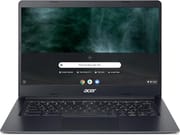 Acer Chromebook 314 | Acer Chromebook 314 | |
| Price | List Price: $499.99 Amazon Prices: | List Price: $399.99 Amazon Prices: Loading prices... |
| Model number | C933-P36S | C933T-C0C1 / NX.HR4AA.001 |
| Performance Rating | 4.7 | 4.0 |
| Chromebook Plus | No | No |
| Processor | Quad-core 1.10 Ghz (max 3.10 Ghz) Intel Pentium Silver N5030 Processor | Quad-core 1.10 Ghz (max 2.60 Ghz) Intel Celeron Processor N4120 |
| RAM | 8 GB | 4 GB |
| Internal Storage | 64 GB eMMC | 32 GB eMMC |
| Screen Size | 14" | 14" |
| Screen Resolution | 1920x1080 | 1920x1080 |
| Screen Type | IPS | IPS |
| Touch Screen | No | No |
| Stylus / Pen | No Stylus Support | No Stylus Support |
| Dimensions width x length x thickness | 12.8 x 9.1 x 0.78 inches (325.12 x 231.14 x 19.81 mm) | 12.8 x 9.1 x 0.78 inches (325.12 x 231.14 x 19.81 mm) |
| Weight | 3.75 lbs (1.7 kg) | 3.75 lbs (1.7 kg) |
| Backlit Keyboard | No | No |
| Webcam | 1280x720 | 1280x720 |
| WiFi | 802.11 a/b/g/n/ac | 802.11 a/b/g/n/ac |
| Bluetooth | Bluetooth 4.0 | Bluetooth 4.0 |
| Ethernet | No | No |
| Cellular Modem | No | No |
| HDMI | No HDMI | No HDMI |
| USB Ports | 2 USB 3, 2 USB-C (with DisplayPort and charging) | 2 USB 3, 2 USB-C (with DisplayPort and charging) |
| Thunderbolt Ports | No | No |
| Card Reader | microSD Card Reader | microSD Card Reader |
| Battery | 3 cell, Lithium Ion | 3 cell, Lithium Ion |
| Battery Life | 12.5 hours | 12.5 hours |
| Fanless | No | No |
| Auto Update Expiration Date | June, 2029 | June, 2029 |
Related Chromebooks
-
 Acer Chromebook 314The Acer Chromebook 314 offers a crisp 14-inch FHD IPS display, 12.5 hours of battery life, and a…
 -
 Acer Chromebook 314 (CB314-4H/4HT)A budget-friendly 14-inch Chromebook with Intel Alder Lake-N processors, WiFi 6E, and software…
 -
 HP Chromebook 14a (14a-nf series)The HP Chromebook 14a (14a-nf series) spans two tiers of the same chassis: an Amazon-exclusive…
 -
 Samsung Galaxy Chromebook Go 14"The Samsung Galaxy Chromebook Go offers LTE connectivity, military-grade durability, and a…
 -
 HP Chromebook 14 G7The HP Chromebook 14 G7 packs a 14-inch anti-glare WLED screen, Wi-Fi 6, a 720p HD webcam, and…
 -
 ASUS Chromebook C424The ASUS Chromebook C424 boasts a crisp 14-inch FHD anti-glare display, durable spill-resistant…
Detailed Insights into the Acer Chromebook 314

The Acer Chromebook 314 delivers a build quality that belies its budget positioning. The chassis features a clean, professional aesthetic that reviewers have praised for not looking like a typical budget Chromebook. The 14-inch display is a standout feature, offering 1920x1080 resolution with IPS technology that provides wide viewing angles and accurate color reproduction for its price class. While the display lacks touch functionality, the matte finish reduces glare effectively during extended use sessions. The keyboard offers a comfortable typing experience with adequate key travel, though the absence of backlighting may be a drawback for users who frequently work in dim environments.
Performance on the Intel Pentium Silver N5030 processor proves adequate for Chrome OS’s lightweight demands. Users can expect smooth operation when handling multiple browser tabs, streaming video, and running Android applications from the Play Store. Trusted Reviews noted Geekbench 5 scores of 428 (single-core) and 799 (multi-core), which places this Chromebook appropriately within its budget category. The 4GB or 8GB RAM configurations handle everyday multitasking without significant slowdown, though power users will want to opt for the 8GB variant to maintain responsiveness when running multiple applications simultaneously.
Connectivity options on the Chromebook 314 are notably generous for its price point. Two USB-C ports support both DisplayPort output and USB Power Delivery charging, while two USB-A 3.0 ports provide backward compatibility with older peripherals. The microSD card reader allows for storage expansion, partially offsetting the limited 32GB or 64GB internal storage. However, the absence of an HDMI port means users will need a USB-C adapter for connecting to external displays, and a USB ethernet adapter for wired networking. The 802.11 a/b/g/n/ac Wi-Fi and Bluetooth 4.0 provide reliable wireless connectivity, though the lack of Wi-Fi 6 puts it behind more recent Chromebook releases.
Reviewer Insights on the Acer Chromebook 314

TechRadar’s Perspective
TechRadar’s Rob Dwiar awarded the Chromebook 314 a score of 4.5 out of 5 stars, describing it as “a tremendous Chromebook harboring great performance and battery life.” The review highlights the device’s solid construction and responsive performance, noting that it excels at the everyday computing tasks that most users require. Dwiar particularly praised the bright, crisp display and the laptop-like design that sets it apart from more utilitarian budget options. The main criticisms centered on the lack of touchscreen functionality and fingerprint reader, features that some competitors include at similar price points.
Trusted Reviews’ Assessment
Trusted Reviews’ Reece Bithrey similarly rated the device at 4.5 out of 5 stars, calling it “one of the best Chromebooks out there for those on a tight budget.” The review emphasized the battery life, with testing revealing 13.5 hours of continuous use before shutdown. Bithrey noted the sturdy construction and comprehensive port selection as significant strengths, making it “ideal for students looking for a laptop to pick up and pop in a bag.” The review acknowledged display limitations on lower-spec models but praised the overall value at the sub-$300 price point.
UNTITLED’s Budget Focus Review
UNTITLED’s review examined the Celeron N4000 configuration from a budget-buyer’s perspective. The reviewer was impressed by the solid build, stating “it doesn’t necessarily look like it should be a Chromebook” and calling it “a mobile computing beast.” The Gorilla Glass trackpad and comprehensive port selection were highlighted as standout features, with the keyboard and trackpad together earning an “absolutely brilliant” verdict. The review framed the Chromebook 314 as a machine built to “do the basics well”: web browsing, email, and document work.
Customer Reviews of the Acer Chromebook 314
Across 7 ratings on Amazon, the Acer Chromebook 314 averages 4.4 stars, with the bulk of those ratings sitting at four or five stars and none below three. The sample is small, so read it as a handful of owner impressions rather than a broad verdict. Both written reviews come from verified buyers, and both land positive overall, though one flags a real hardware issue worth knowing about. A verified buyer who goes by “laptop” gave it four stars and wrote, “This laptop works great for my needs. Unfortunately, after about a month of use I needed to buy a new charger as the one it came with stopped charging.” They noted the USB-C port made the replacement charger easy and cheap to source, and closed by saying they were happy with the purchase.
The other written review is more enthusiastic about the Chrome OS experience as a tablet replacement. A verified buyer posting as “Amazon Customer” gave it five stars and wrote, “This Acer Chromebook is exactly what I needed to replace my Android tablet,” adding that Google Play store Android apps “work a lot better than on android tablets” and pointing out you can add an Ethernet port through a USB adapter. With only two written reviews on file, the standout caution is the early charger failure one owner hit; the rest of the feedback leans toward basic web use and app compatibility being solid. Read more owner reviews on Amazon.
Conclusion
The Acer Chromebook 314 delivers on its promise of an affordable, reliable Chromebook for everyday computing needs. The combination of a quality Full HD IPS display, long battery life, and versatile connectivity options suits students, budget-conscious families, and anyone seeking a straightforward computing experience. While it lacks the touchscreen, backlit keyboard, and premium materials of higher-end Chromebooks, the C933 series provides genuine value at its price point.
For users whose primary activities include web browsing, document creation, email, and media consumption, the Chromebook 314 handles these tasks with ease. The 8GB RAM variant is recommended for those who plan to run multiple applications or Android apps simultaneously, while the 4GB version suits lighter users. With software support through June 2029 and a proven track record of positive reviews, the Acer Chromebook 314 remains a solid entry point into the Chrome OS ecosystem for budget-minded buyers.
To see how it stacks up against other options, our Chromebook Comparison Chart lets you sort and filter by specs, price, and features side by side.
Frequently Asked Questions
Can I upgrade the RAM or storage on the Acer Chromebook 314?
No, the Acer Chromebook 314 does not support RAM or storage upgrades. The RAM is soldered to the motherboard and the eMMC storage is not user-replaceable. If you anticipate needing more memory, purchase the 8GB RAM variant from the start. For additional storage, use the microSD card slot or cloud storage services.
How long will the Acer Chromebook 314 receive software updates?
The Acer Chromebook 314 (C933 series) has an Auto Update Expiration (AUE) date of June 2029. Until this date, the device will receive Chrome OS updates including new features, security patches, and bug fixes. After the AUE date, the device will continue to function but will no longer receive updates.
Can the Acer Chromebook 314 run Android apps?
Yes, the Acer Chromebook 314 supports Android apps through the Google Play Store. You can download and run most Android applications, though the experience may vary since this model does not have a touchscreen. The 8GB RAM variant provides better performance when running Android apps alongside Chrome browser tabs.
Is the Acer Chromebook 314 good for students?
Yes, the Acer Chromebook 314 is well-suited for students. Trusted Reviews praised it as “ideal for students looking for a laptop to pick up and pop in a bag.” The 12+ hour battery life lasts through a full school day, the 14-inch display is comfortable for extended reading and writing, and Chrome OS provides easy access to Google Workspace for education.
Can I connect an external monitor to the Acer Chromebook 314?
Yes, you can connect an external monitor using the USB-C ports, which support DisplayPort Alt Mode. However, there is no dedicated HDMI port, so you will need a USB-C to HDMI adapter or USB-C cable with a compatible monitor. The Chromebook can extend or mirror your display when connected to an external screen.
How does the Acer Chromebook 314 compare to the Acer Chromebook 315?
The main difference is screen size: the Chromebook 314 has a 14-inch display while the Chromebook 315 has a 15.6-inch display. The larger 315 typically weighs more and has a larger footprint, making it less portable. Both offer similar processors and features at their respective price points, so choose based on whether you prioritize portability (314) or screen real estate (315).