
ASUS Chromebook Flip CM3
Updated on

The ASUS Chromebook Flip CM3 was a budget 2-in-1 Chromebook from ASUS, pairing a 360-degree hinge with a 3:2 touchscreen in a compact, portable package. Its 3:2 aspect ratio, fanless operation, and long battery life made it a practical pick for students and casual users on a budget. The model has since been discontinued and is sold mainly as refurbished units.
Related Videos
ASUS Chromebook Flip CM3 Comparison Chart
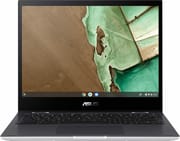 ASUS Chromebook Flip CM3 | ASUS Chromebook Flip CM3 | |
| Price | List Price: $329.99 Amazon Prices: | List Price: $399.99 Amazon Prices: |
| Model number | CM3200FVA-DS42T | CM3200FM1A-DS44T-S |
| Performance Rating | 3.5 | 3.8 |
| Chromebook Plus | No | No |
| Processor | Octa-core 2.00 Ghz MediaTek Kompanio 500 (8183) | Octa-core 2.00 Ghz (max 2.20 Ghz) MediaTek Kompanio 820 (8192) |
| RAM | 4 GB | 4 GB |
| Internal Storage | 32 GB eMMC | 64 GB eMMC |
| Screen Size | 12" | 12" |
| Screen Resolution | 1366x912 | 1366x912 |
| Screen Type | Glossy display, 220nits, NTSC: 50%, Screen-to-body ratio 78 %, With stylus support | Glossy display, 220nits, NTSC: 50%, Screen-to-body ratio 78 %, With stylus support |
| Touch Screen | Yes | Yes |
| Stylus / Pen | Supported | Supported |
| Dimensions width x length x thickness | 8.5 x 10.6 x 0.66 inches (215.9 x 269.24 x 16.76 mm) | 8.5 x 10.6 x 0.66 inches (215.9 x 269.24 x 16.76 mm) |
| Weight | 2.51 lbs (1.14 kg) | 2.51 lbs (1.14 kg) |
| Backlit Keyboard | No | No |
| Webcam | 720p HD | 720p HD |
| WiFi | 802.11 a/b/g/n/ac | 802.11 a/b/g/n/ac |
| Bluetooth | Bluetooth 5.0 | Bluetooth 5.0 |
| Ethernet | No | No |
| Cellular Modem | No | No |
| HDMI | No HDMI | No HDMI |
| USB Ports | 1 USB 2.0, 1 USB-C (USB-C to HDMI adapter included) | 1 USB 2.0, 1 USB-C (USB-C to HDMI adapter included) |
| Thunderbolt Ports | No | No |
| Card Reader | microSD Card Reader | microSD Card Reader |
| Battery | 2 cell, 32 Whrs, Li-ion | 2 cell, 32 Whrs, Li-ion |
| Battery Life | 12.0 hours | 12.0 hours |
| Fanless | Yes | Yes |
| Auto Update Expiration Date | June, 2030 | June, 2030 |
Related Chromebooks
-
 ASUS Chromebook Flip C214The ASUS Chromebook Flip C214 is a rugged 11.6-inch education convertible with an Intel Celeron…
 -
 Lenovo Flex 3i Chromebook 12.2"The Lenovo Flex 3i Chromebook 12.2 is a fanless 2-in-1 with a 12.2-inch 1920x1200 IPS touchscreen,…
 -
 ASUS Chromebook CR11 (CR1104C)The ASUS Chromebook CR11 (CR1104C) is a ruggedized 11.6-inch Chromebook built for students and…
 -
 Acer Chromebook 712The Acer Chromebook 712 (C871) is a 12-inch education Chromebook with an Intel Celeron 5205U, a 3:2…
 -
 Lenovo 500e Yoga Chromebook (Gen 4)The Lenovo 500e Yoga Chromebook Gen 4 offers a versatile 12.2'' touch IPS display and a garaged USI…
 -
 Acer Chromebook 311An 11.6-inch Chromebook with an Intel Celeron N4000, 4GB of RAM, a fanless chassis, and up to 10…
A fanless 3:2 convertible built around battery life
At 2.51 pounds and 10.6 x 8.5 x 0.66 inches, the CM3 is small enough to carry all day. The aluminum lid feels a step above the budget price, and the 360-degree hinge moves between laptop, tent, stand, and tablet modes. The fanless design runs silently, which suits libraries or classrooms. Build quality is solid for the price, though the plastic body around the chassis shows its budget origins.
The 12-inch display runs at 1366x912, and the 3:2 aspect ratio gives it more vertical room than a 16:9 panel of the same size for reading documents, browsing the web, and working in Google Docs. TechRadar noted that the display offers “great display quality” despite the lower resolution, while Digital Trends called it “surprisingly nice.” The glossy panel takes touch input and USI stylus input for note-taking and drawing, though screen brightness tops out at around 220-250 nits, which can be limiting in bright outdoor conditions.
Performance comes courtesy of the MediaTek Kompanio 500 (MT8183) processor paired with 4GB of RAM. This ARM-based chip was designed specifically for Chromebooks, offering decent efficiency for basic tasks while keeping temperatures and power consumption low. Benchmarks place it at the lower end of the Chromebook spectrum, with TechRadar recording a Kraken JavaScript score of 3692ms and an Octane 2.0 score of 10,303. In practical terms, this means the CM3 handles web browsing with a few tabs, document editing, and media streaming without significant issues, but loading up too many Chrome tabs or running demanding Android apps will result in noticeable slowdowns. The 64GB variant features the slightly faster Kompanio 820 processor, which provides improved performance headroom.
A single USB Type-C port handles charging, data transfer, and video output, joined by a USB Type-A 2.0 port for legacy peripherals. ASUS includes a USB-C to HDMI adapter in the box. The microSD card slot adds storage beyond the onboard eMMC. Wi-Fi 5 (802.11ac) and Bluetooth 5.0 handle wireless connectivity adequately, though the absence of Wi-Fi 6 reflects the device’s budget positioning. The 720p webcam is serviceable for video calls, and the 3.5mm combo audio jack is also on board, though the bottom-firing speakers are too modest for music production.
The 32 watt-hour battery is small, and the efficient ARM processor and lower-resolution display are what stretch it. Digital Trends measured nearly 12.5 hours in web browsing tests, while TechRadar found 7 hours 38 minutes in their more demanding movie playback test. For students and travelers, this means confident all-day usage without needing to carry a charger. The included compact charger uses USB-C Power Delivery and can fully charge the device in approximately two hours.
Reviewer Insights
TechRadar and Digital Trends both pitch the CM3 at students and light users on a budget.
TechRadar’s Assessment
TechRadar’s John Loeffler awarded the CM3200 a score of 3.5 out of 5 stars, noting that “it isn’t a very powerful 2-in-1 laptop by any means, but it’s powerful enough, and comes with some quality features that make it one of the best budget laptops around.” Despite poor benchmark results, TechRadar found that in practical use, “we didn’t encounter nearly as many performance slowdowns as we’d expected” and that the device was “perfectly capable of browsing, streaming, and getting some work done in the cloud without any real issue.” Battery life testing revealed 7 hours and 38 minutes on TechRadar’s movie test, which while not class-leading, provides enough runtime for a typical school or work day.
Digital Trends’ Perspective
Mark Coppock at Digital Trends gave the CM3 a score of 7 out of 10 and emphasized that it “makes the right sacrifices for a cheap student laptop.” His criticisms centered on the cramped keyboard and occasionally finicky touch display, both consequences of the compact form factor. The review highlighted battery performance, with the device lasting almost 12.5 hours in web browsing tests, a notable figure given the 32 watt-hour battery. Digital Trends particularly praised the touchpad and active pen support, calling them “excellent” for the price point.
Chrome Unboxed’s Take
Robby Payne at Chrome Unboxed initially dismissed the CM3 but later revised his opinion after spending more time with the device. His December 2023 review, testing the Kompanio 820 variant, declared “I was wrong: the ASUS Chromebook Flip CM3 is quietly great.” He praised its performance and noted that “the 12-inch 3:2 IPS screen is actually quite good, plenty sharp at this size, and it feels pretty awesome in tablet mode as well.” At around $229 for the updated model, he concluded “you simply can’t go wrong with this one.”
Video reviewers rate it a solid used buy
MergeDroid put months of hands-on time into their review “ASUS Chromebook Flip CM3 Review: Best Small Chromebook?”, walked through the model variant differences, and noted the value at refurbished prices around £124. They particularly appreciated the lightweight design and 3:2 display. More recently, TechSnacker tested the CM3 in 2024 and found that it can handle light gaming like Genshin Impact at 30fps and is suitable for student use at refurbished pricing around $170.
Worth buying used for light schoolwork
Buy one secondhand if you want a light convertible for web work, Google Docs, and pen input, and you can live with 4GB of RAM and a keyboard Digital Trends found cramped. The 3:2 screen and the silent chassis are what the CM3 still does well at used prices.
Pay up for the CM3200FM1A if you can find one, because the Kompanio 820 has more headroom and its Auto Update Expiration date runs to August 2031 against June 2030 for the base model. To see how it stacks up against current options, the Chromebook Comparison Chart lets you filter and sort by specs, price, and form factor.
Frequently Asked Questions
Can the RAM or storage be upgraded on the ASUS Chromebook Flip CM3?
No. The CM3 takes no RAM or internal storage upgrades. The 4GB of LPDDR4X RAM is soldered to the motherboard, and the eMMC storage cannot be replaced. The built-in microSD card reader is the only expansion route, and it supports high-capacity cards for additional file storage.
What is the difference between the CM3200FVA and CM3200FM1A models?
The CM3200FVA model uses the MediaTek Kompanio 500 (MT8183) processor with 32GB of eMMC storage and receives Chrome OS updates until June 2030. The CM3200FM1A model features the faster MediaTek Kompanio 820 (MT8192) processor with 64GB of storage and has an extended Auto Update Expiration date of August 2031. The newer model offers noticeably better performance for demanding tasks.
Is the ASUS Chromebook Flip CM3 good for students?
Yes. For student use, the CM3’s compact size and light weight make it easy to carry between classes, and the 360-degree hinge allows comfortable note-taking in tablet mode with a USI stylus. Battery life exceeds 10 hours for basic tasks, lasting through a full school day, and the 3:2 aspect ratio display is particularly good for reading and document work. The 32GB storage limitation on the base model is the one thing to check before buying.
Can the ASUS Chromebook Flip CM3 run Android apps?
Yes, the CM3 runs Android apps through the Google Play Store, a standard feature of Chrome OS. Light Android apps run reasonably well, though more demanding apps may experience slowdowns due to the modest MediaTek processor and 4GB RAM limitation. TechSnacker got around 30fps out of Genshin Impact on the lowest settings. For productivity apps and basic games, Android app support works adequately.
How long will the ASUS Chromebook Flip CM3 receive Chrome OS updates?
According to Google’s Auto Update Expiration (AUE) policy, the CM3200FVA model will receive automatic Chrome OS updates until June 2030, while the CM3200FM1A model with the Kompanio 820 processor will receive updates until August 2031. After these dates, the devices will continue to function but will no longer receive security patches or feature updates.
Does the ASUS Chromebook Flip CM3 include a stylus?
That depends on the specific bundle and retailer. Some configurations include the ASUS PEN USI stylus, while others require purchasing it separately. Any USI (Universal Stylus Initiative) pen works with the touch display for note-taking, drawing, and navigation, so a third-party stylus is a fine substitute.