
Haier Chromebook 11 G2
Updated on

Note: This Chromebook has been discontinued and is no longer available for purchase new. Its Auto Update Expiration date was September 2021, meaning it no longer receives Chrome OS updates or security patches. The information below is kept for historical reference.
The Haier Chromebook 11 G2 shipped in late 2015 at $149, aimed at schools and buyers who wanted a working laptop for tablet money. Haier, a Chinese appliance manufacturer, built this 11.6-inch machine as an upgrade to the original Haier Chromebook 11, swapping that model’s Rockchip ARM processor for Intel’s Celeron N2840 Bay Trail chip. Acer and Hisense sold comparable entry-level Chrome OS laptops at the same price.
| Pros | Cons |
|---|---|
| Fanless design for completely silent operation | Only 2GB RAM limits multitasking |
| Full-size HDMI port (no adapter needed) | TN display with poor viewing angles |
| 802.11ac WiFi (uncommon at this price point) | 16GB storage fills up quickly |
| 10-hour rated battery life when new | 2GB RAM and 16GB eMMC are soldered |
| Light at 2.5 pounds for an 11.6-inch laptop | Plastic chassis was basic even at $149 |
| One USB 3.0 port for faster external drives | Chrome OS updates ended in September 2021 |
Haier Chromebook 11 G2 Comparison Chart
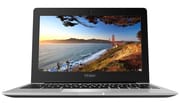 Haier Chromebook 11 G2 | |
| Price | List Price: $149.00 Amazon Prices: |
| Model number | Chromebook 11 G2 |
| Performance Rating | 1.6 |
| Chromebook Plus | No |
| Processor | Dual-core 2.16 Ghz (max 2.58 Ghz) Intel Celeron N2840 |
| RAM | 2 GB |
| Internal Storage | 16 GB eMMC |
| Screen Size | 11.6" |
| Screen Resolution | 1366x768 |
| Screen Type | TN |
| Touch Screen | No |
| Stylus / Pen | No Stylus Support |
| Dimensions width x length x thickness | 8.07 x 11.49 x 0.7 inches (204.98 x 291.85 x 17.78 mm) |
| Weight | 2.5 lbs (1.14 kg) |
| Backlit Keyboard | No |
| Webcam | HD |
| WiFi | 802.11 a/b/g/n/ac |
| Bluetooth | Bluetooth 4.0 |
| Ethernet | No |
| Cellular Modem | No |
| HDMI | Full-Size HDMI |
| USB Ports | 1 USB 2.0, 1 USB 3 |
| Thunderbolt Ports | No |
| Card Reader | SD |
| Battery | 2 cell, 4800 mAh, Lithium-ion |
| Battery Life | 10.0 hours |
| Fanless | Yes |
| Auto Update Expiration Date | September, 2021 |
Related Chromebooks
-
 Acer Chromebook 311 (AMD)The Acer Chromebook 311 (CB311-10H) is an 11.6-inch ChromeOS laptop on an AMD A4-9120C with 4GB of…
 -
 ASUS Chromebook C203XAThe ASUS Chromebook C203XA is a rugged 11.6-inch education laptop with a MediaTek MT8173C, an…
 -
 Acer Chromebook Spin 11 CP311The Acer Chromebook Spin 11 combines functionality and portability with its 11.6-inch touch IPS…
 -
 Lenovo Flex 3 ChromebookThe Lenovo Flex 3 Chromebook is a fanless 11.6-inch convertible with an IPS touchscreen, a MediaTek…
 -
 Dell Chromebook 3120The Dell Chromebook 3120 is a fanless 11.6-inch education Chromebook with an Intel N100, sold in…
 -
 Lenovo Chromebook 3 11"The Lenovo Chromebook 3 11 is a fanless 11.6-inch Chromebook with an Intel Celeron N4020, 4GB of…
Dual-core Bay Trail and 2GB of soldered RAM
The Celeron N2840 runs at 2.16GHz with burst speeds up to 2.58GHz. The same chip shipped across the 2014-2015 budget Chromebook lineups of ASUS, Acer, and Dell. It delivers approximately 730 points in multi-threaded CPU Mark benchmarks, enough for web browsing, document editing, and lightweight productivity tasks.
Bay Trail is a 22nm Atom-derived x86_64 architecture with two physical cores, two threads, and a 7.5W rated TDP. The Celeron N2840 lacks Hyper-Threading and AVX2, which limits its appeal for any workload more demanding than browser tabs and Google Docs. It does, however, include Intel HD Graphics (Bay Trail) clocked at 313MHz with a 792MHz burst, supporting hardware-accelerated H.264 decode that keeps 1080p YouTube playback smooth even a decade after launch. The integrated GPU was a clear upgrade over the Rockchip RK3288 in the original Haier Chromebook 11, particularly for Flash-era web pages and the Android app runtime that arrived on supported Chromebooks shortly after the G2’s launch (the G2 itself never received Android app support).
The single configuration shipped with 2GB of DDR3 RAM and 16GB of eMMC storage. While adequate for Chrome OS in 2015, the 2GB memory limitation becomes apparent when opening more than a handful of browser tabs simultaneously. Chrome OS’s aggressive memory management helps mitigate this through tab suspension and caching strategies, but users accustomed to keeping numerous tabs open will encounter performance slowdowns. The 16GB storage capacity was similarly constrained, though Google’s cloud-centric approach assumed users would rely on Drive storage rather than local files. By 2021, when the device hit AUE, Chrome itself had grown noticeably hungrier; readers comparing this device to a modern 4GB Chromebook will see why the 2GB ceiling is now considered too tight even for casual use.
The soldered, non-upgradeable eMMC storage booted quickly and made no noise, unlike the spinning hard drives still shipping in entry-level Windows laptops of the same era. The downside is that eMMC random IO is roughly an order of magnitude slower than a modern SATA SSD, so any local file work (extracting archives, indexing large folders) feels sluggish even with no system load. For Chrome OS, where most state lives in cloud sync, this trade-off was acceptable.
Bay Trail’s low thermal profile allowed passive cooling, so the G2 shipped with no fan and made no fan noise at all. Classrooms valued that, and so did anyone who found laptop fan noise distracting during light work. Nothing inside the chassis moves, which also means one fewer part to fail on a decade-old unit.
An 11.6-inch TN panel in a 2.5-pound plastic shell
TN panels shift color when viewed off-axis, and the 1366x768, 11.6-inch screen here follows that pattern. The 16:9 aspect ratio and modest resolution proved adequate for web browsing and document work, though the panel was never going to satisfy anyone after vibrant color for photo viewing or video.
Physical dimensions measure 11.49 x 8.07 x 0.7 inches at 2.5 pounds, making the G2 reasonably portable for an 11.6-inch device. The chassis uses plastic construction typical of budget Chromebooks, prioritizing cost control over premium materials. While not as rugged as education-specific models with rubberized edges or military drop certification, the G2’s construction proved serviceable for general consumer use.
Full-size HDMI, 802.11ac, and one USB 3.0 port
802.11ac WiFi came standard on the Haier Chromebook 11 G2 while many sub-$200 Chromebooks of the period still shipped with 802.11n only. On a compatible router that meant faster wireless for streaming video or pulling down files. Bluetooth 4.0 covered wireless peripherals and audio devices.
Port selection included a full-size HDMI port (Type A), eliminating the need for adapters that micro HDMI equipped competitors required. The port array featured one USB 3.0 and one USB 2.0 port, providing flexibility for connecting storage devices and peripherals. An SD card reader expanded the limited internal storage, while the combo headphone/microphone jack handled standard audio needs. The HD webcam and integrated microphone supported video calling applications, essential for educational use cases. Like most Chromebooks of its era, users who needed a wired network connection required a USB Ethernet adapter.
An appliance maker’s short run at the education market
Haier is better known for refrigerators and washing machines, and Chrome OS gave it a way into personal computing without taking on established Windows laptop manufacturers at higher price points. Schools buying in volume at the bottom of the market were the target customer.
The G2 designation indicated this was an improved version of the original Haier Chromebook 11, which used a Rockchip RK3288 ARM processor. By switching to Intel’s Bay Trail platform for the G2, Haier achieved broader software compatibility while maintaining the sub-$150 price point that defined the device’s market positioning. However, Haier’s limited presence in Western retail channels meant the Chromebook 11 G2 received minimal coverage from technology publications, making it one of the more obscure Chrome OS devices of its generation.
The Chromebook 11 G2 reached its Auto Update Expiration date in September 2021, ending approximately six years of Chrome OS update support. Devices past this date no longer receive security patches or feature updates, making them unsuitable for tasks involving sensitive information.
Charger and battery decide whether a used unit is worth buying
A decade past launch, the G2 occasionally surfaces on eBay, marketplace listings, and at thrift stores for $20 to $50. At that money it is a hobbyist device or a parts donor. Before paying anything, confirm the original charger is included (this model uses a barrel connector, not USB-C, and replacements are getting hard to find), test that the battery still holds a meaningful charge rather than running only on AC, and verify the keyboard, trackpad, and HDMI port all function. The plastic chassis was already basic at launch, so dings, hinge wobble, and worn keycaps are common on units that saw classroom service.
Battery degradation is the single biggest concern. The 4800mAh lithium-ion pack was rated for 10 hours when new; a decade of charge cycles typically leaves these packs delivering 2 to 4 hours at best, sometimes less. Replacement batteries are not officially sold by Haier, which exited the Western Chromebook market years ago, so any swap relies on aftermarket sellers or salvaged donor units. Anyone weighing the math of a $30 used Chromebook plus a $35 aftermarket battery should read the battery replace versus buy new breakdown before committing. The used Chromebook AUE worksheet walks through the same decision for any post-AUE device.
Lightweight Linux is the practical second life
The G2’s Bay Trail CPU is fully 64-bit, which keeps the post-update options open. The simplest is to leave Chrome OS in place and accept the security trade-off for offline-only use: a kid’s typing-practice machine, a kitchen recipe display, or a guest browser locked to one website. None of those jobs depend on current security patches the way a primary work laptop does.
For owners who want a supported operating system, lightweight Linux distributions remain the practical path. Xubuntu, Lubuntu, MX Linux, and antiX all run acceptably on 2GB of RAM and a Bay Trail Celeron, though installing any of them requires unlocking the firmware write protect screw inside the case and replacing the stock Chromebook firmware with a custom coreboot or SeaBIOS payload via the Mr Chromebox script. This is hobbyist territory and voids any remaining warranty (long since expired anyway). ChromeOS Flex, Google’s official path for reviving old laptops, lists 4GB of RAM as its minimum requirement and explicitly does not support installation onto certified Chromebooks like the G2, so it is not a practical fit here.
A more conservative repurposing option is to keep the device offline entirely and use it as a secondary home server or media player on the local network, where the lack of security updates matters less. Beyond that, responsible recycling through a manufacturer or municipal e-waste program is the right end-of-life path.
For those weighing Chromebook options, the Chromebook Comparison Chart puts current models side by side so you can see how far the hardware has come since the G2’s era.
Frequently Asked Questions
Q: Can I still use the Haier Chromebook 11 G2 in 2026?
A: It still powers on, but Chrome OS updates stopped in September 2021. No security patches, no new features, and websites that may break as web standards move on. Keep it away from online banking and anything else sensitive.
Q: What processor does the Haier Chromebook 11 G2 use?
A: An Intel Celeron N2840: dual-core Bay Trail, 2.16GHz base, burst up to 2.58GHz. It was a common choice for budget Chromebooks from 2014-2015.
Q: How long does the Haier Chromebook 11 G2 battery last?
A: Haier rated it for up to 10 hours. The 4800mAh lithium-ion battery paired with the efficient fanless Bay Trail processor covered a full day of typical web browsing and productivity work.
Q: What is the difference between the Haier Chromebook 11 and Chromebook 11 G2?
A: The original Haier Chromebook 11 ran a Rockchip RK3288 ARM processor. The G2 moved to an Intel Celeron N2840 (Bay Trail) and added 802.11ac WiFi and USB 3.0, neither of which the original had.
Q: Can I upgrade the RAM or storage on the Haier Chromebook 11 G2?
A: No. Both the 2GB RAM and the 16GB eMMC storage are soldered to the motherboard, standard practice for budget Chromebooks of this era. The SD card slot is the only way to add storage for files.