
ASUS Chromebook Flip CM5 (CM5500)
Updated on

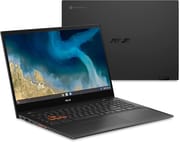
The ASUS Chromebook Flip CM5 (CM5500) is a convertible laptop built around a 15.6-inch touch screen and AMD’s dual-core, 2.6GHz Ryzen 3 3250C processor, with up to 8GB of memory and up to 128GB of eMMC storage. The lid is aluminum and the bottom is plastic, styled in a nearly black hue Asus calls Mineral Gray. It measures 0.73 by 14.1 by 9.5 inches and weighs 4.3 pounds. The display folds back into easel, tent, or tablet modes.
Pros and Cons
| Pros | Cons |
|---|---|
| Good performance with multiple browser tabs and videos playing | Webcam quality is poor |
| Comfortable keyboard with good travel | Screen brightness is only 250 nits |
| Large, smooth touchpad | Performance drops significantly when not plugged in |
| Sharp 1080p IPS touch panel that folds into tablet mode | 4.3 pounds is heavy for a daily carry |
Related Videos
ASUS Chromebook Flip CM5 (CM5500) Comparison Chart
 ASUS Chromebook Flip CM5 (CM5500) | ASUS Chromebook Flip CM5 (CM5500) | |
| Price | List Price: $499.99 Amazon Prices: Loading prices... | List Price: $489.99 Amazon Prices: |
| Model number | CM5500FDA-DS344T | CM5500FDA-IN588T |
| Performance Rating | 3.5 | 4.8 |
| Chromebook Plus | No | No |
| Processor | Dual-core 2.60 Ghz (max 3.50 Ghz) AMD Ryzen 3 3250C Processor | Dual-core 2.60 Ghz (max 3.50 Ghz) AMD Ryzen 3 3250C Processor |
| RAM | 4 GB | 8 GB |
| Internal Storage | 64 GB eMMC | 128 GB eMMC |
| Screen Size | 15.6" | 15.6" |
| Screen Resolution | 1920x1080 | 1920x1080 |
| Screen Type | IPS | IPS |
| Touch Screen | Yes | Yes |
| Stylus / Pen | No Stylus Support | No Stylus Support |
| Dimensions width x length x thickness | 14.08 x 9.48 x 0.73 inches (357.63 x 240.79 x 18.54 mm) | 14.08 x 9.48 x 0.73 inches (357.63 x 240.79 x 18.54 mm) |
| Weight | 4.3 lbs (1.95 kg) | 4.3 lbs (1.95 kg) |
| Backlit Keyboard | Yes | Yes |
| Webcam | 720p HD | 720p HD |
| WiFi | WiFi 6 | WiFi 6 |
| Bluetooth | Bluetooth 5.0 | Bluetooth 5.0 |
| Ethernet | No | No |
| Cellular Modem | No | No |
| HDMI | Full-Size HDMI | Full-Size HDMI |
| USB Ports | 1 USB 3, 2 USB-C | 1 USB 3, 2 USB-C |
| Thunderbolt Ports | No | No |
| Card Reader | microSD Card Reader | microSD Card Reader |
| Battery | 3 cell, 57 WHrs, Li-ion | 3 cell, 57 WHrs, Li-ion |
| Battery Life | 10.0 hours | 10.0 hours |
| Fanless | Yes | Yes |
| Auto Update Expiration Date | June, 2031 | June, 2031 |
Related Chromebooks
-
 ASUS Chromebook Flip C434The 2019 ASUS Chromebook Flip C434 is a 14-inch convertible with a slim-bezel FHD touchscreen, an…
 -
 ASUS Chromebook CX1 (CX1500)The ASUS Chromebook CX1 (CX1500) is a 15.6-inch full HD Chromebook with a number pad, an Intel…
 -
 HP Chromebook 15 (15a-na2)The HP Chromebook 15 (15a-na2) is a fanless 15.6-inch Chromebook with an Intel N200, 8GB of DDR5, a…
 -
 Samsung Chromebook 4+The Samsung Chromebook 4+ is a fanless 15.6-inch FHD Chromebook with an Intel Celeron N4000, dual…
 -
 Acer Chromebook 715The Acer Chromebook 715 is a fanless 15.6-inch full-HD IPS Chromebook with an aluminum chassis, a…
 -
 Lenovo 3i ChromebookThe Lenovo 3i Chromebook offers a large 15.6-inch anti-glare FHD display with a numeric keypad,…
Ports on both sides and a 250-nit screen
The left edge carries a USB 3.2 Type-C port, a USB 3.2 Type-A port, an audio jack, a volume rocker, and a power button. The right side has a second USB-C port, the HDMI port, and a microSD card slot. The WASD keys are outlined in orange, as on some gaming laptops.
The 1080p IPS screen is rated at only 250 nits of brightness, but it looked bright enough in testing, with white instead of dingy backgrounds and decent contrast. The webcam is of poor quality, so blurred that you won’t recognize yourself. At launch the machine shipped with promotions including 12 months of Google One 100GB cloud storage and three months of YouTube Premium and Canva.
Browsing does not slow or stutter with numerous tabs open and a couple of videos playing. Battery life comes to eight and a half hours of video playback, enough for a few classes on campus or a Google Slides presentation at a client’s office. For more options suited to academic use, see our guide to the best Chromebooks for college students.
Reviewer Insights
Eric Grevstad of PCMag notes, “The Flip CM5 has an aluminum lid and plastic bottom, styled in a nearly black hue Asus calls Mineral Gray.” On speed, he writes that it didn’t slow or stutter even with numerous browser tabs open and a couple of videos playing. He criticizes the webcam quality, describing it as “so blurred you won’t recognize yourself.”
Joshua Goldman of CNET mentions, “The Asus Chromebook Flip CM5 is different than what you might be used to seeing in the world of Chromebooks.” Goldman praises the comfortable, backlit keyboard and the smooth, responsive glass touchpad. He points out that the display’s brightness is a bit dim, making it hard to see past reflections on the glossy screen.
The YouTube channel Chrome Unboxed likes the look and the hardware but criticizes performance when the machine is not plugged into a power source. They state, “It’s a shame that you’re dropping 40% performance and you notice that you feel it doesn’t mean it’s unusable. It doesn’t mean that you can’t get some stuff done when you’re not plugged into the wall, but you’re going to notice a performance drop off.”
Customer Reviews
Across 92 ratings on Amazon, the ASUS Chromebook Flip CM5 (CM5500) averages 4 stars, and the distribution splits, with 61% of buyers leaving 5 stars and 23% landing at 2 stars or below. The split tracks how hard buyers push the machine. Buyers who use it for casual browsing, email, and writing tend to be happy, and several call out the touchscreen and backlit keyboard. Joyce, a verified buyer, wrote “Was looking for a chromebook with a touch screen and backlit keyboard and the ASUS has both,” and a verified buyer writing as tiger fan framed it as a tablet substitute: “Nearly the same functionality of an iPad but at a fraction of the price. Battery last very long.”
The low-star reviews blame the 4GB of RAM and the Ryzen 3 3250C for sluggish multitasking. Vaanth, a verified buyer who rated it 2 stars, wrote “Opening multiple tabs, especially with a couple of ‘heavy’ pages, would quickly overload the system,” and replaced it with an 8GB model that “performs like this one should have.” Even some satisfied owners concede it is not fast; verified buyer trent (4 stars) called it “Slow at times but, does what I need it to do.” If you plan to keep many tabs open, the recurring owner feedback points toward a higher-RAM configuration. Read more owner reviews on Amazon.
A big-screen convertible for browsing and typing
Web browsing, streaming video, making music, and document editing are the workloads it handles. The comfortable keyboard and large touchpad suit people who type for hours, and the touch screen folds flat for reading or watching.
Gaming and video editing ask for more than the Ryzen 3 3250C and 8GB of memory can give, and buyers who spend a lot of time on video calls will run into the webcam. At 4.3 pounds it is also a heavy machine to carry every day. For more options, compare it with others using Starry Hope’s Chromebook Comparison Tool.
Frequently Asked Questions
Q: What is the screen size of the ASUS Chromebook Flip CM5 (CM5500)?
A: The screen measures 15.6 inches and it is a touch panel, so the lid folds back into easel, tent, and tablet modes.
Q: What type of processor does the ASUS Chromebook Flip CM5 (CM5500) have?
A: An AMD Ryzen 3 3250C. It has 2 cores and 4 threads, a base speed of 2.60 GHz, and a maximum speed of 3.50 GHz.
Q: Does the ASUS Chromebook Flip CM5 (CM5500) have a backlit keyboard?
A: Yes. The CM5 ships with a backlit keyboard, and the WASD keys are outlined in orange.
Q: What is the battery life of the ASUS Chromebook Flip CM5 (CM5500)?
A: The battery is rated for up to 10 hours, while video playback runs about eight and a half hours.
Q: Can the storage of the ASUS Chromebook Flip CM5 (CM5500) be upgraded?
A: No. The eMMC storage is fixed at either 64GB or 128GB, depending on the model.
Q: Does the ASUS Chromebook Flip CM5 (CM5500) have a webcam?
A: Yes, a 720p HD webcam. Some reviewers have noted that the webcam quality is low.
Q: Is the ASUS Chromebook Flip CM5 (CM5500) good for gaming?
A: Not for demanding local gaming. The dual-core Ryzen 3 3250C and its integrated Radeon graphics are modest, and performance drops further when the device is unplugged. Light Android games and cloud game streaming over Wi-Fi 6 work fine, and our guide to Steam on Chromebook covers the other options.